Monday, March 22, 2010

Carolina Con 6

I just wanted to give a plug to the 2600 group in Charlotte, NC.

They (specifically Feloniousfish and Snide) invited my friends and me to Carolina Con 6, which was completely amazing. The range of skill sets was pretty amazing for a group of 170 some-odd people: lock picking, to mobile phone rooting, creative survival skills, and network / software security). All to be used in the most ethical uses possible.

"Gray hats" off to those hosting the roof party, presenters, and organizers for making this a success. I will defiantly be returning next year as well as trying to make it to some other con's as well, maybe we can meet up there. (Hopefully I before then I will create a post beforehand to facilitate meet ups...)

Hands on workshops also included:

  • The lock picking village where I finally was able to finish my summer project lock picking
  • A double pringles can antenna which conveniently snagged my ipod's blue tooth signal "ÆL's ipod"... however my phone didn't make the tracker's list.
Here is a Ctrl +C of the schedule topics covered:

Friday: (Talks from 7pm-10pm):
6:00pm - Setup and registration
7:00pm - Cybercrime and the Law Enforcement Response - Thomas Holt
8:00pm - The Search for the Ultimate Handcuff Key - Deviant Ollam and TOOOL
9:00pm - Microcontrollers 101 - Nick Fury
10:00pm - conference room closed for evening

Saturday: (Talks from 10am-10pm with breaks for lunch and dinner):
10:00am - Hacking with the iPhone - snide
11:00am - We Don't Need No Stinking Badges - Shawn Merdinger
12:00pm - Lunch Break
1:00pm - It's A Feature, Not A Vulnerability - Deral Heiland
2:00pm - Smart People, Stupid Emails - Margaret McDonald
3:00pm - Mitigating Attacks with Existing Network Infrastructure - Omar Santos
4:00pm - OMG, The World Has Come To An End!!! - FeloniousFish
5:00pm - dinner break (conference room closed during)
7:00pm - You Spent All That Money and You Still Got Owned - Joe McCray
8:00pm - Locks: Past, Picking, and Future - squ33k
9:00pm - Hacker Trivia
10:00pm - conference room closed for evening

Sunday: (Talks from 10am-5pm with a break for lunch):
10:00am - The Art of Software Destruction - Joshua Morin and Terron Williams
11:00am - wxs - Why Linux Is Bad For Business
12:00pm - Lunch Break
1:00pm - The Evolution of Social Engineering - Chris Silvers and Dawn Perry
2:00pm - Metasploit - Ryan Linn
3:00pm - How the Droid Was Rooted - Michael Goffin
4:00pm - Protecting Systems through Log Mgmt and System Integrity - David Burt
5:00pm - CarolinaCon-VI/2010 ends - pack it up and pack it out

Tuesday, March 2, 2010

UNCC Korean Wachovia Spam Analysis

The University of North Charlotte at Charlotte has issued the following warning to its students:
--------------------------------------------------------
Subject: Wachovia Phishing Email Targeting UNC Charlotte Users
On March 1, 2010, a large number of UNC Charlotte email
accounts received messages allegedly from Wachovia with the subject:
“An Important Secure Message.”
-----------------------------------------------------------
I took one of the Emails I captured and I thought I would post it here in order to help shed light on exactly who might behind the scam.

  1. First off, Google correctly picked up this Email as spam... but if this Email hadn't been sent to google via POP3 (setup via the add accounts in google) the user would have been out of luck.

  2. The link to Wachovia has an addition to it's address of "as" in hxxp://onlineservices5.wachovia.sa.com/auth/AuthService.htm
    nwtools.com shows that the domain is registered to:

    Victoria Pope (H882534) dwq33@yahoo.com
    Victoria Pope
    29 Beech St. Apt 5
    Newmarket NH 03857
    US (United States)
    Tel: 603-303-9089

    However the ip (121.162.248.44) shows a more believable location of Seoul, South Korea
    http://network-tools.com/default.asp?prog=express&host=onlineservices5.wachovia.sa.com

  3. The date on the bottom of the Wachovia Email is from 2007, most places have their copyrights, patents, trademarks, etc up to date... at least in a few years. So I would assume that this script was from a old version of the Wachovia site or they created it from some older scripting templets.

  4. The Email shows that hackers are getting better at using templets to fake out websites as seen in the picture below. Free proxies had to be used to access the site because UNCC had blacklisted the subdomain of sa.com:

(First it asks for your bank login)


(Next it asks for social, debit card, expiration date,
CCV# and ATM pin, and Email)
(Chances are they have an account with
Wachovia as this is a generic window shown after first account setup)

(Final step redirects to official Wachovia site)


(Shows Top Level Domain,
SA.com seems to be a custom google search)

Here is a transcript of the complete Wachovia March 1st Scam Email:

---------------------------------------------------
Mon, 1 Mar 2010 16:06:57 -0500
Received: from uncc.edu ([152.15.xx.xx]) by exfe06.its.uncc.edu with Microsoft SMTPSVC(6.0.3790.3959);
Mon, 1 Mar 2010 16:06:57 -0500
Received: from User (copland.udel.edu [128.175.13.92])
by md4.nss.udel.edu (MOS 3.10.2-GA)
with SMTP id IOY25036;
Mon, 1 Mar 2010 16:02:38 -0500 (EST)
Message-Id: <201003012102.ioy25036@udel.edu>
Reply-To:
From: "Wachovia Message Center"
Subject: An important Secure Message!
Date: Mon, 1 Mar 2010 16:01:53 -0500
MIME-Version: 1.0
Content-Type: text/plain;
charset="Windows-1251"
Content-Transfer-Encoding: 7bit
X-Priority: 1
X-MSMail-Priority: High
X-Mailer: Microsoft Outlook Express 6.00.2600.0000
X-MimeOLE: Produced By Microsoft MimeOLE V6.00.2600.0000
X-esp: ESP<2>=
SHA:<6>
SHA_FLAGS:<400>
UHA:<0>
ISC:<0>
BAYES:<-1>
SenderID:<0>
DKIM:<0>
TS:<-3>
SIG:
DSC:<0>
TRU_marketing_spam: <0>
TRU_spam2: <0>
TRU_money_spam: <0>
TRU_scam_spam: <0>
TRU_stock_spam: <0>
TRU_adult_spam: <0>
TRU_embedded_image_spam: <0>
TRU_ru_spamsubj: <0>
TRU_medical_spam: <0>
TRU_urllinks: <0>
TRU_misc_spam: <0>
TRU_watch_spam: <0>
TRU_legal_spam: <0>
URL Real-Time Signatures: <0>
TRU_lotto_spam: <0>
TRU_phish_spam: <0>
TRU_playsites: <0>
TRU_spam1: <0>
TRU_html_image_spam: <0>
TRU_profanity_spam: <0>
TRU_freehosting: <0>
Bcc:
Return-Path: wachoviamcalerts.wachovia@udel.edu
X-OriginalArrivalTime: 01 Mar 2010 21:06:57.0435 (UTC) FILETIME=[20B94EB0:01CAB983]
This is a courtesy reminder that your Online Account needs to be verified:
In order to receive uninterrupted services, please verify your information immediately.
To verify your account, please click the link below, log in and follow the provided
steps:
hxxp://onlineservices5.wachovia.sa.com/auth/AuthService.htm
Regards, Wachovia.
Please do not "Reply" to this message.
Contact Us
(800) 950-2296, 24 hours a day, seven days a week.
(c)2007 Wachovia Corporation, 301 South College Street, Suite 4000, One Wachovia Center, Charlotte, NC 28288-0013. All Rights Reserved.
Wachovia Bank, N.A. Member FDIC.
--------------------------------------------------------------------

Friday, February 5, 2010

Android Security lockbypass

Intro:

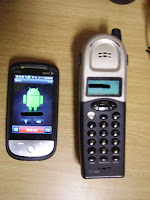
At the risk of letting every user into my Sprint HTC Hero Android version 1.5 phone I am going to publish the steps that allow a user to get past the lock screen that is deployed with the phone.

This is not a full fledged hack, but it is more a temporary way to gain
acc
ess to the device, get the information you need and then leave it with no trace.

When you lock the Android you will notice th
at you can't access
the notifications and the only thing that you can do is make emergency calls
or enter a passcode pattern. This tutorial will show you how to enter the phone through those basic notifications just by calling the phone.


Walk though:
First you will need the phone and the ability to text, call and/or Email the person with the android device. You would have to use whatever means needed (endings of Emails, websites, phone books etc) to find out their cell phone number.

The goal is to get a "missed call" or "new text" icon to appear on the top status bar, this will serve as your entry point into the back end of the phone.

Step 1 - Place a Missed call or Text on the Android
With the phone locked, call the phone from another number. Do not answer the call, you want the missed call to show up in the status bar at the top. I would recommend that you use *67 before calling the phone number to conceal the source but once you have access you can easily d
elete the record anyway.

Note: Know that sprint logs all calls to their devices, as do many other carriers. Using a VOIP phone or google voice could work well to preserve the anonymous connection. Alternatively you could send a SMS message, Email, or other notification that you know will show up on the phone.

Step 2 - Place call and access phone
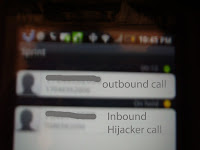
After leaving a missed call on the phone, call the Android again. T
his time answering the call on the Android device, leaving both phones on the hook to keep a open connection going.
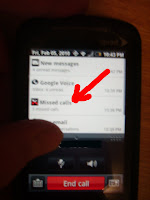
Next, while the call is in progress, slide the notifications bar down. This time it will work, unlike when the phone was locked.

Pressing the missed call notification will allow you access to all past phone calls (left).


Step 3 - Begin traversing through phone
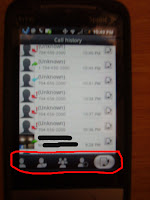
From the call history screen (right) you can see that there are buttons to access the list of contacts on the android.By using these buttons I was able to do the following:
  • Viewed most contact's current Facebook activity
  • Send and view recent texts
  • Make new calls and view all call history
  • Open browser and access sites with "remember me" checked, triggered by opening text containing a URL
Limitations to this hack would include the following terms and conditions (Which you may agree to by checking the radio box included below).

Agree Disagree
  • You need access to the phone physically (physical hack)
  • You need to know the person's phone number (social hacking)
  • Hitting home button will cause you to leave the screen and require you to execute steps 1 -3 to get back in.


Conclusion:
In order to prevent someone from gaining access to the information on your phone, keep it on you at all times or to use a third party app such as Wavesecure or Mobile Defense (both found in the android market). Wavesecure lets you lock, delete, backup and locate your phone through their website, while Mobile Defense allows you to view multiple device's locations and stats all on one website.


Tuesday, May 26, 2009

Command the burn of Deep Freeze

A few months ago I was working for on a clients network who had a third party come in and setup their network. Unfortunately, many of the PCs were setup with deep freeze. Now for those of you that don't know, deep freeze is this amazing program that allows administrators to lock the hard drive so that users can install software,
download files, etc and then as soon as you reboot the system is back to defaults.
(image Source: http://blog.eches.net/wp-content/uploads/2007/10/deep-freeze-panel.gif)

When you want to change the settings you have to use a keyboard shortcut, Ctl+Alt+Shift+F6 in order to get to a login screen. Then once you type the password, you can "Thaw" the system. Each Thaw/ Freezed session is determined on how the system was told to boot. The screen gives options to Thaw it once and then once you have rebooted, re-Thaw system on reboot -- without logging back into the Deep freeze control panel.

You can figure out if a system is running deep freeze by looking for the following icon in the systray:

(polar bear, symbal of deep freeze)

However, this didn't work so well for me as I was wanting to install the newest version of office and setup the desktop icons with some new shortcuts, because, you guessed it, they had forgotten the password... So I was left with no way to get the computer changed or was I?

It turns out that Windows 2000, XP (and Vista too I am pretty sure,) have this save mode setting called safemode Command Prompt. Which loads the system with only the minimal components and a command prompt, and this is what allowed me to get access to the system and make changes with out Deep Freeze stopping me.


The how to:

  1. First reboot the computer
  2. Press F8 at boot
  3. Select "Safe Mode" with Command Prompt
  4. Wait for the Desktop to load. It will load windows just as in normal, but it will have a cmd window open... some systems may be locked, so you might need to try default usernames such as username=Adminstartor, password="", or whatever admin user you can get access to.
  5. At the black window that shows C:\ type,"explorer"
  6. This will start windows explorer which will allow you to do most system changes that are needed.

The only limitation of this hack is the fact that many programs will not install, however you can change (or delete Deep Freeze) permanently from the following folders and when you return to normal mode you will have complete control:

c:\program files\hypert~1\deepfr~1
c:\windows\system\iosubsys\persifrz.vxd
(you can easily delete both of these from the command line or explorer)

For more extensive information on deep freeze check out:
Source: http://www.governmentsecurity.org/forum/index.php?showtopic=123
(it is old but seems to still have relevancy)

Just remember you could get in a lot of trouble for modify business or school network computer systems... and I won't be there to thaw you out ;-)

Wednesday, April 8, 2009

Hacked: US Power Grid.

So I thought it was something that could only happen on the movies. But it turns out that we don't have as good security as I thought.

When me and my friend watched Live Free Die Hard 2 weekends ago we were both concluded that our Power grid isn't well connected enough to get a nation wide hack. However it looks like a firesail could be possible. According to the NY times Russian and Chinese Hackers have gotten in and placed backdoor software into computers that operate our powergrid. Right now the Government isn't releasing any detailed information and we don't know if this was government run attack or a independent. See full story below:


http://www.nypost.com/seven/04082009/news/nationalnews/re_volt_ing_spies_hack_into_us_power_gri_163443.htm

Blogged with the Flock Browser

Sunday, January 11, 2009

CES 2009 - TV's Lets compete: 3d, slimest, and maybe some Wireless to go.

At the show there seemed to be a competition between LG, Pansonic, and Samsung on who could create the largest exhibit with the most flashing gadgets.

Keypoints of...


Samsung:
Name: Not set yet
Prototype size: 6.5 mm
Launce date: Unknown for thin, but 3d ready  plasma TVs ready by this spring


Panasonic:
Name: Prototype name z1
Prototype size: 1/3 "
Launch date: 2010
Special:
Wireless will hook up maybe to box which has feeds of hd cable
Panasonic had 5 Movie theators sporting new 3D technology and also a showcase
off how home theators could easily migrate their systems to the new 3D standards. 

LG:
Name: Plasma TV 42PQ65C
Launching: This spring
Special: 
Showed of new Plasma and LCD TVs that save on energy. One of the reps I spoke to 
told me they see consumers wanting to save on energy prices as well as get the same
features that they have seen in the past and expect in the future.


Federal Communications Commission Commissioner Talks on Technology Issues

Here is a video that was taken yesterday at the Panasonic Exhibit with the FCC Commissioner.

Saturday, January 10, 2009

CES 2009 - Jan 9 - Instant on, more 3D and larger exibits

Intro
The next official day of the show is a blast. I move over to the Convention center which exhibits the large TV players (Samsung, Panasonic, LG... which will be show in a future post) and Microsoft. Once again the focus was a lot of 3D, as well as some other very creative technologies.
(see below for another slide on pictures from the show)

Body

The first technology that blew me was Fulton. They have been working over the last 12 years and have successfully created a new type of convection system allows for wireless power. The first part consists of a coil with smart electronics that can go under a table or desk. The second part consists of a coil which goes in the devices to be charged. They use magnetic residence to get the energy to transfer which prevents wasted energy.

This is a old technology but what makes it practice is that fact that it has smart electronics to control the amount of energy being transferred. This prevents the problems of short outs that previously prevented this from being used. Now in theory it could go over 3 feet and could be put into an entire table top so you can imagine were they may take this technology.


The next technology that I found very interesting was phoenix technologies new instant on Laptop. They have used a custom version of Linux paired with a technology know as VT which they happened to be embeded in most PCs less than 2 years old. I have to say the guys at the exhibit were very open and easy to talk to... providing a lot of insight into their technologies. They also invited me to their private party at V bar in the Venetian were I talked to 2 of the engineers behind the technology. He said they had been working it for about 3 years and with the expansion of distributions such as Ubuntu as well as Yahoo, Mccafee and other companies developing tools for Linux it has allowed them to put this together so that really you can get online instantly while you wait for Vista or your other OS to come in in the background.

End Notes

Later today or tomorrow I will be posting on TVs and the exhibits I see today. As well as more details on other exhibits.

Edit: Fixed some problems with the slide show not playing.

Friday, January 9, 2009

CES 2009 - Rising up in 3D

Intro:
As many of you know most of my blog focuses on the area of security, but when I got the unique opportunity to go to CES 2009, I couldn't pass up the chance to do a little blogging about the show.

The show, which is held in Las Vegas, Nevada, reports 130,000 visitors to their 2700 exhibits and many sessions. I also have been enjoying the hospitality of vendors such as Imagination and ViewSonic who allowed me to be present at their after show receptions.

Body:

Last night I regret to have missed the first keynote address by Microsoft's new CEO Steve Ballmer. But this morning at 8:30AM I heard CEA CEO Gary Shapiro talk about the current state of Consumer Electronics. His predictions for 2009, estimate that it will be a "flat year" compared to the increase of about 6% in 2008. He was not shy in expressing how he feels that the Obama Administration will make great strides as America's first "Digital President." He also stated that CEA will be lobbying for the greater good of Consumer electronics by seeing if new laws pass the following test:

  1. Does it create jobs?
  2. Does it spur new tech?
  3. Does it encourage the best and brightest to come to the US?
  4. Does it reward risk taking?
  5. Does it promote exports?
  6. Will it help deploy broadband?

I felt a lot of his speech focused on the fact of how government and Consumer Electronics need to help each other. However he stated that the members of the industry need to step up and be leaders in order to propel this economy forward.

The next speaker in the Jan 9th Keynote address was Sony CEO and chairman, Sir Howard Stringer. Many of my previous hesitations about Sony were downgraded, by the many products they released. Such as some the new Sony HD Bravo TVs which allow direct uploads from Sony's new wireless enabled Sony CyberShot.

Another interesting feature of the Sony Keynote presentation was announcements from Disney's Pixer who will be producing new 3D movies using Sony's Blue Ray technology and DreamWorks who announced all productions from this point will host 3D animation compatibility.

I decided that it would be better for this first post to upload a slide show of the newest products that were at the show. One of the big things that seemed to come up more than once is the transition of TV to 3D. In his address during the keynote, chief creative officer John Lasster compared 3d coming to movies to the introduction of sound and color to tvs.

Take a look at the following slideshow for what I captured on Jan 9 at CES.

Edit: Fixed Slideshow.

Sunday, December 28, 2008

SMSing tips, tricks, and more phreaky stuff

INTRO:

OK so if you have unlimited texting you may find this useful...
Services such as Google, ChaCha.com, textmarks.com, and others have made SMS services so that individuals can find useful information on the go. Or stay in touch with their own services.

Some have begun calling SMS/cell phone texting the new terminal line. Back in the days before windows 95 and MS-DOS computers would log on to the internet using something called the telnet. Telnet was later upgraded to terminal to allow encryption. Basically think of it as a text editor that talks back to you using ACSII art. In most cases you would have to dial a number and be connected using a login and password.

As you can imagine, hackers, which at the time were really phreakers (people that hack phone lines) began hacking the terminal lines. They dialed into lines they shouldn't began building software to gain access ect. Telnet and terminal lines are still used today, however they are very insecure and normally are used over the Ethernet internet lines, not so much regular phone lines.

One thing that should be noted that when using these SMS messaging services is that anything you text allows the server to see your phone number... also most services allow you to text help to find the list of commands you can use.

Main:

***GOOGLE***
TEXT NUM: 466453 (GOOGLE)


Search Feature.......Sample Query


Local.................. sushi 94040
Weather.............w boston
Glossary............d zenith
Sports **............score red sox
Movies............movies 94110
Stocks............stock tgt
Zip Codes............zip code 72202
Directions............directions pasadena ca to 94043
Maps .................map 5th avenue new york
Flights ***................flight aa 2111
Area Codes...............area code 650
Products..................price ipod player 40gb
Q&A...................... abraham lincoln birthday
Airlines ***............united airlines
Translation............translate hello in french
Web Snippets............web hubble telescope
Calculator............. 1 us pint in liters
Currency Conversion........ 8 usd in yen
Airports ***............... sfo airport
METAR**** ................. metar khio
Help..................... help local

Source: http://www.google.com/mobile

*** GOOGLE Calendar ****
NUM: 48368 (GVENT)

This allows you to update your events on your google calendar right from your phone, note you need to sign up first

  1. by going to calendar.google.com while logged in.
  2. clicking settings
  3. and then selecting mobile.

add event...."Shopping with Sarah at Monterey Market 5pm Saturday,"
request your next scheduled event............................. next
request all of your scheduled events for the present day...... day
request your events scheduled for the following day........... nday

Source: http://www.google.com/support/calendar/bin/answer.py?hl=en&answer=37228

*** Facebook ***
NUM 32665 (FBOOK)

Many Social engeneering websites are stepping the ways users can access their information to help them compete facebook allows you to use your mobile phone to watch who send you a message on your wall, writes you a status comment,
or messages you. You can customize the ammount of messages when you set it up by....

  1. going to http://www.facebook.com/mobile/?ref=sb
  2. putting in your phone number,
  3. waiting for a text
  4. putting that text in the box on facebook
  5. customizing the events you wish to know about.

Next you can use the following commands to find out about your friends or change your status:
just send a text to facebook to change your status
to search for a friend....... srch
info on a friend............. info
help on commands............. help
For both of these

message a friend............. using search or info find the 32665XX number of your friend (each user on facebook has their own texting number)
Then send a text to 32665XX, and the message will show up in their inbox the next time they log in.

Also, when you get events such as status message comments or a wall post messaging back the number that shows up on your phone. (once again it will be
some 32665XX number) will put your message on the corresponding comment or wall post.

***ChaCha***
NUM: 242242 (CHACHA)

This service works by you simply texting them a question and then in about 10 to 15 min a live human will search the web and return an answer.

Source: http://www.ChaCha.com

***Textmarks***
NUM 41411

This one has to be my favorite texting service, it literally has hundreds options of custom services to let you find what you need from the net. If you don't find what you want, you can always create a custom text service. I was really impressed by the speed of their servers too.

Some of my favorite SMS's from this service are:
Find the name and address of a landline's phone number.......PHLOOK
return a fake name and phone number of a person........ FAKE
Hide your phone number when texting.................... anon
Ping a server to see if it is up on your phone......... PING

Source: http://www.textmarks.com

End notes:

These are only a few of the services out there that provide texting feedback. I know Myspace can do the same as Facebook and that their are other services that allow you to interact more. One neat tool that I played around for a while was the instant messaging program trillian, it allows you to specify words in IM and perform acts on a PC from those words. At one time as a proof of concept I used the command cmd /c batchfile.bat to run a the code "shutdown.exe" which shutdown the computer any time I IMed via my phone.(textmarks would allow you to do this without having IM on your phone). It expanded to the point were I would lock, shutdown or reboot any PC on the targeted network.

So here is the deal, as you can probably see I only have so much time to post anymore if you think the above method to control your home network would be something interesting you want to know how to do. Leave a comment and I will see what I can do :-). Or if you have a useful SMS service you know about you an post that too. (Linkbacks welcome)

Tuesday, September 23, 2008

Itis a shame I don't have more time to write....? The "Questions" that lead to hacker attacks.

I haven't had much time to write on here due to the fact of now being in school and not having a much time to devote to watching and reporting on the newest security trends.

Intro:
But I thought I would just add a link to this interesting current event that I saw today. The U.S. Vice President running for office, Sarah Palin, got her Email address hacked and the contents posted here: http://wikileaks.org/wiki/Sarah_Palin_Yahoo_account_2008


The Who:
The person that did it was named Anonymous, but later was found to be the hacker, Rubico, according to Dancho Danchev in his blog: http://blogs.zdnet.com/security/?p=1939

He claimed to have used simple guessing from Wikipedia and Google content to guess Yahoo's security questions of "What is your Zip code?" and "Where did you meet your spouse?"

Bubico tried to keep himself anonymous by using a proxy server website that hides his ip address named . However in his hast to tell the world about his discovery he left the hash in screenshot... http://ctunnel.com/index.php/1010110A58a5cd1e8ab470889 82c83282fd768456ebe14f44221026

It is uncertain whether the FBI reconstructed his IP address from that or from the posts he left on other blogs and bulletin boards such as 4chan.com . Needless to say they have a suspect: David Kernell, son of Tennessee representative Mike Kernell (check out http://www.wbir.com/news/local/story.aspx?storyid=64033&provider=top video in top right shows witness accounts)

Conclusion:
What we should take away from this is the fact that if we use a 45 character password with all the symbols, numbers and letters, it is worthless if we use common security questions that someone can guessed off our myspace or facebook pages...

One thing I recomend, and I practice, is to use a fake answer that only you know, and keep that in your wallet or some other safe, none electronic location.

Danchev states that currently Gmail allows you to customize your question which may prevent it from being so easy to guess, unlike Yahoo, Hotmail and others which use standard questions.

For more detailed information check out:
http://blog.chess.com/billwall/a-chess-playing-hacker
(apparently David was a regular on the site, and they made a very detailed post describing all that has happened, including the suspected prison sentence)

Monday, November 19, 2007

Danger! That USB Thumbdrive Keydisk thingy has a Virus.

Intro:
You may be able to remember a time when a floppy disk, those 1.44mb of storage, was your only way to get that masterpiece from work or school to home at night. A floppy disk could start a computer and make it go into MS-DOS, but not activate programs just from a simple insertion. Today Keydisks(also called Thumb Drives, and USB disks) are replacing floppies faster than companies can make them. Prices for a 1GB Keydisk can be as low as $20 and I have heard of organizations purchasing them by the bucket load -- literally.

The only problem with Keydisks is the fact that when inserted, they become a new Harddrive on the system, some, like U3 even create CD-Rom drive with a password protected start menu for portable access. This could allow someone to insert a Keydisk into a system, Autorun an invisible, no window launching virus, while they seem to type up that 30 page history report on why man didn't go to the moon and back... the reason I am writing this is because a while back some hackers in Australia left keydisks in public places containing viruses that would be activated as soon as they keydisk was inserted.

This tutorial will show you how to create a keydisk that has the ability to run a hidden program with just simply inserting it.

NEEDED:
- A U3 keydisk
- Internet connection
- works on all Win 98, Win 2000, XP, and Vista Machines.

HOW TO:

After briefly searching the Internet, I can find no program that compares to Sandisk's U3 software. It seems to work every time, no matter what the restrictions are on the PC. (Even limited users allow it to install with no problems)
So...

Setting up the U3 loader on the Keydisk:

If your key disk doesn't have the U3 loader installed, download the installer: http://www.sandisk.com/Retail/Default.aspx?CatID=1411
Run it, following the simple instructions.

Unfortunately there are only certain keydisks that work with the U3 software.
There is a small chip inside the U3 disks that allow it to trick the computer into thinking there is CD drive on the disk, this allows it to run the U3 start menu, which in turn can have a program auto started as soon as it is loaded up. The CD really is just an ISO file hidden on the disk. So when you download the installer it may say your disk is not compatible... which would be a bummer since this really is a neat hack.

Putting the Auto start to work:

Now the U3 firmware comes with some sample programs, the ability to lock the disk, and a bunch of other fancy stuff. You can access the "start button" for U3 by clicking the orange icon that appears by the clock.

U3 allows user to make their own software packages by following instructions and package here http://www.u3.com/developers/downloads/reference.aspx
but for the simplicity of this tutorial I am going to show you how to replace Firefox with any program you like and set it to automatically start when the disk is inserted.

  1. Select the "Explore Keydisk" from the menu (top right)
  2. In the explorer window that comes up, press Ctl + F (or View--> Search) and tell it to find the file "FirefoxForU3Start.exe"
  3. Once you get the results, right click "FirefoxForU3Start.exe"and select "Open Containing Folder."
  4. Rename "FirefoxForU3Start.exe" to something such as: "(BK)FirefoxForU3Start.exe"
  5. Now take another exe file and copy it into the same folder as "FirefoxForU3Start.exe"

    (NOTE: If you can't see the .exe extention then, in explorer, click tools--> folder options, The "View" tab, and uncheck "Hide extensions for known file types"... this also helps you see viruses that disguise themselves as .PDF, .JPG files since now you can see the full ending of the file)

    If you don't have your own "exe" virus just use notepad.exe
    Click Start--> Run and then type:
    %systemroot%\system32
    (System root is a neat way of opening the folder windows lives in)
    scroll till you find "notepad.exe" and copy it to your keydisk.
  6. Now rename "notepad.exe" to "FirefoxForU3Start.exe"
  7. Click the U3 icon and select "Manage U3 Programs."
  8. Click Mozilla Firefox and select the box that says "Start on Insertion"
  9. Select OK and eject the Key disk, Now every time it is inserted "Notepad.exe" (which was renamed to FirefoxForU3Start.exe) will start...
    REMEMBER: Any exe file will work for this, most hackers will create a program that would set a rootkit embedded into the system, and then run the file "(BK)FirefoxU3Start.exe," that way no one will no the difference.
Other options:If you can't get the U3 Launcher on your Keydisk, then another option is to modify a file called "autorun.inf" which is in the root folder (the root is the first items you see when you double click on the drive).

Edit it in the form of:
Open="notepad.exe"
Action="notepad.exe
Shell="notepad.exe
where "notepad.exe" is a program in the root folder.

Protection:
The only way to prevent this--- and it isn't fully fool proof--- is to download Microsoft Powertool's TweakUI.exe (Mirror)
Open the Program from the Start Menu(All Programs--> Powertoys for Windows--> TweakUI)
Then click on My Computer -->Auto Play--> Drives
Uncheck the drives you wish to protect, and click OK.
(NOTE: This disables Auto Run, so any time you put in a CD you will have to go into My Computer to start it)


END NOTES:
This particular attack is hard to execute, since it requires a physical access to someone else's Keydisk and PC. But there has been some talk about the idea that a virus could be implanted into a system and instead of using the Internet to travel, it travels by hopping onto a USB disk, Mobile phone/PDA, and even the USB flash disk in your Camera--- like one of the ways shown above (most likely the second example however).

So the next time some body says they want to plug their Keydisk into your PC think about what you are risking.


More Reading...
http://www.usbhacks.com/ made a post on how Sony installed Rootkits on they Keydisk, causing files to be hidden in the C:\windows folder
http://www.dailycupoftech.com/have-your-lost-usb-drive-ask-for-help/ As soon as your keydisk is inserted, a message shows up saying how to return it.

http://www.mydigitallife.info/2007/03/16/virus-infections-via-usb-drive/
The Virus doesn't need the Internet any more, it has your camera and USB drive!


Sunday, November 4, 2007

Gmail making Spam tracking and Reporting just one step easier.

After checking my Email this weekend I noticed that Google has made a lot of changes.
One is the ability to easily view header by clicking the drop down arrow to the right of the "reply" button.

Many times when you receive spam and want to report it, the abuse department of the sender requests that you include full headers. This is what the the "show original" button lets you see:

(NOTE: This is a spam Email I received on Nov 3, the only thing that has been left out is my Email, everything else
is left as is. Highlighed are the sending IPs and Emails)

Delivered-To: Anelite...@gmail.com
Received: by 10.142.114.1 with SMTP id m1cs413197wfc;
Sat, 3 Nov 2007 09:46:11 -0700 (PDT)
Received: by 10.78.186.9 with SMTP id j9mr2269184huf.1194108369681;
Sat, 03 Nov 2007 09:46:09 -0700 (PDT)
Return-Path: <cohen@pinkponk.com>
Received: from CSTLGA-COE-CIP525-01.coastalnow.net.216.166.216.in-addr.arpa ([216.166.216.138])
by mx.google.com with ESMTP id 2si7442642nfv.2007.11.03.09.46.08;
Sat, 03 Nov 2007 09:46:09 -0700 (PDT)
Received-SPF: neutral (google.com: 216.166.216.138 is neither permitted nor denied by domain of cohen@pinkponk.com) client-ip=216.166.216.138;
Authentication-Results: mx.google.com; spf=neutral (google.com: 216.166.216.138 is neither permitted nor denied by domain of cohen@pinkponk.com) smtp.mail=cohen@pinkponk.com
Received: from [216.166.216.138] by taurus-1.siol.net; Sat, 03 Nov 2007 16:49:32 +0000
Message-ID: <000401c81e39$0786d5d8$f9708d81@aengcxn>
From: "bjorne monty" <cohen@pinkponk.com>
To:
Subject: Fw:
Date: Sat, 03 Nov 2007 15:02:09 +0000
MIME-Version: 1.0
Content-Type: text/plain;

format=flowed;
charset="iso-8859-1";
reply-type=original
Content-Transfer-Encoding: 7bit
X-Priority: 3
X-MSMail-Priority: Normal
X-Mailer: Microsoft Outlook Express 6.00.3790.2663
X-MimeOLE: Produced By Microsoft MimeOLE V6.00.3790.2757

Yahoo:


Hotmail:

To make MSN Hotmail display all header lines:

  • Select Options from the top MSN Hotmail navigation bar.
  • Make sure the Mail category is selected.
  • Choose Mail Display Settings.
  • Set Message Headers to Full.
  • Click OK.
(source: about.com)

As can be seen by the highlighted parts, the IP Address is show in many places. Every user of the internet, whether they are a business, school, or home user is issued a individual IP Address that becomes specific to their router or PC. This IP normally will change after a given length of time called the license period or when ever the router/computer is disconnected or restarted.
When this email is reported to the parent company (in this case "pinkpoke.com") they can:

- simply delete the account and ban that IP Address from their site.

- report the IP Address to the ISP (which can be publicly found by going to nwtools.com) .... this could result in a shutdown of the offender's internet.

- Finally pinkpoke.com could request a court order for the ISP to tell them who abused the account and file a lawsuit against the abuser. The ISP would then have to turn over logs showing what time and address was using that IP Address at the time the spam was sent. One small Email service says they attempt to collect a $10/per spam Email when they prosecute offenders. (now if I could get that for all my Spam... hehehe)

Unfortunately ISPs don't always keep the logs for an extended time (an anonymous source told me only about 8 to 10 days, due to volume and space limits) and therefore if the parent company doesn't act fast, this option will not be available to them. Also spammers have many ways to keep from getting caught.

Spammers stay anonymous by hijacking computers and using them to send their "hate mail" or by using one of the many spoofers available on the internet. A spoofer is a program that allows you to send and Email that looks like someone else. (e.g. I could send an Email from admin.goog@gmail.com just by entering it into a text box.)

Many times the spoofed Emails don't have the same certificates as official Emails and therefore they can be picked up by the spam blocker. A certificate appears in every Email and issued by the domain (Gmail, yahoo, etc) and help programs validate Emails. (note above Email header shows a certificate of neutral)

Analysis:
I hate to break it to you, but "cohen@pinkponk.com" doesn't really exist and that oh-so-special product they advertised doesn't work much better. A check on http://www.nwtools.com came back with the following (check the "Email Validation" radio button for validating Emails):
[Contacting pinkponk.com [213.229.249.143]...]
[Timed out]
A Google searched turn up no other reports of this address either. (sometimes other people have will posted on a particular spammer, what they find out)

I also ran a check on the IP address, I believed it would be a valid home user (maybe hijacked) due to the fact that the full header the "X-Mailer: Microsoft Outlook Express 6.00.3790.2663" signature. Outlook is one of the oldest windows Email programs, and therefore is a breeze to hijack.
OrgName: Mebtel Communications
OrgID: MEBT
Address: 103 South Fifth Street
City: Mebane
StateProv: NC
PostalCode: 27302
Country: US
more.... click here
What do you know? Its valid... and if I sent an Email to abuse@madisonriver.net they might even look into shutting down this spammer, provided they care...

END Notes:
Yahoo has had a quick links to full headers for some time now, but Hotmail requires users to go through some steps to turn the full headers on, and has no quick On/off feature.

The previous way to get Gmail full headers was to click "basic html" at the very bottom of the page and then click option for "full headers" which would appear by the address box. This step by Google to make full headers easier to get at may reduce the time it takes to report spam. Which is good because Spam is one kind of "food" ad that I don't want in my inbox... I get enough "food" ads as it is in the regular mail.

Future post highlights:
I received requests for this post and I am still working on the next planned post: Keydisk security. I should be posting it in about a week or so. If you have ideas or something you want to know how to do that relates to protecting PC user safety let me know... Post on the blog or Email me at the address shown in contact info.

Monday, October 22, 2007

Where did TV-links go?

Acording to http://business.guardian.co.uk/story/0,,2195407,00.html
http://www.tv-links.co.uk/was taken offline Oct 19.

The arrest and the closure of the site - www.tv-links.co.uk - came during an operation by officers from Gloucestershire County Council trading standards in conjunction with investigators from Fact and Gloucestershire Police.
TV-links, until last week, was one of the largest internet movies, anime, TV show, and cartoon web video streaming portals. The 26 year old that set it up, used ads and paypal donations to gain income off of the illegal videos. The theory of the site was similar to that of Piratebay.org, which hosts none of the content, but simply provides links to it.

The difference between these two sites and their sustained uptime, lies in the location of their servers. thePirateBay.org hosts out of Switzerland, a neutral, piracy acceptant country. www.tv-links.co.uk, on the other hand, hosted in the UK where tolerance of piracy, though not as strict as the US, normally is frowned on.

Both sites have been shut down by the government at least once. Piratebay.org ended up reopening within days after their police raid. TV links also came back online after its first shutdown.

After this second shutdown a post on the TV-Links Forum reported:

Posted by: xxxx Oct 20 2007, 02:51 AM

http://business.guardian.co.uk/story/0,,2195407,00.html that happened! Were working on a way to save the links.


It will only be a matter of time before TV links comes back online again, or at least a spin off site. Detailed cache information of TV links can still be found on Google by doing site search of TV-links http://www.google.com/search?q=+site:tv-links.co.uk+tv+links
also the content sites:

54.com
youku.com
todou.com

and
http://videos.google.com
http://youtube.com

still host the videos untouchable content, that TV-links.co.uk linked to. (note: even though Google and Youtube remove content, a large amount of illegal videos are hidden within the site using code names)

If the movie industry was smart, they would see that they could profit by allowing more open access to their content. Many music artists such as, Radiohead, Prince, and others have released their albums for free via the internet. As I heard in an interview the other day, these artists are making more from the ringtones, clothing, and advertising they incorporate into their music. One artist has made 4 million dollars off ringtones alone.

But for now, tv-links.co.uk will remain hidden, buried underground, and as the government's attempted example to movie sharing sites that they will not be able to exist in free countries like the US and UK.

EDIT: Radiohead doesn't release their album for free, instead they allow the listener to choose how much they want to spend.

Monday, September 17, 2007

Phone Phreaking

Introduction
Phone phreaking is basically just hacking over a phone line. This could include phone line tapping, breaking into phone networks, gaining free long distance, and sometimes it is considered part of the realm of social engineering. Social engineering is gaining information by tricking people directly instead of hacking machines; you in other words "engineer using social tactics." In this post you will learn how to tap your own home phone line.


Tools needed:
Windows 95 dialer. exe ( RAR | EXE )
Free MP3 Recorder ( Main | Mirror)
A computer connected to a phone line... like what you did back in the days of Dialup.
Lets go back to the future using the Windows 95 Dialer.exe tool (It must be windows 95, NT/2000 will not work) Open it up and tell it to dial a letter. I normally put in "f".

This will bring up a new window that asks you to pick up the receiver. Just ignore that until you're done. You should hear the phone line in through your speakers.


The best time to listen in is to wait till someone starts dialing or after the parties have begun talking on the phone. If done too soon (like when you still have the tone) you will get a busy signal and it will hang up. Another practical use I have found for this program is when the answering machine picks up in another part of the house, I can hear the live recording by picking up just at the right moment.

I recommend getting a copy of Free MP3 Sound Recorder if you want to record the conversation. Any program will work that allows you to record windows internal sounds. (you could also use Audacity with a cable connecting your microphone to teh speaker, but unless you have a audio speaker you won't be able to here the conversation.
This will record the sound of the phone line allowing you to save it to mp3/wav format. Another recorder that I found to be pretty good was: http://www.roemersoftware.com/sound-recorder-comparison.html (get the free version)

Instructions for "Free MP3 Sound Recorder":
Click file--> New
Then Select Record and stereo checkboxes.
Click Ok and select the file format you want... I normally choose mp3.
Click Ok and select where you want to save the file.
A new window will come up saying "Do you want to start recording now?"
Select yes if you have the call on the line, or no if you have yet to make the call.

End Notes:
I have found that with practice I can have the line recording in thirty seconds (that is including the time to start each program). In many US states it is illegal to record a phone call without the consent at least one party. But you can find a complete list here: http://www.rcfp.org/taping/states.html

Sunday, August 26, 2007

Storm Worm - Now using youtube.

Some of you remember that I reported a while back that the Storm worm was using e-cards via Email to trick you into downloading. Now it has morphed to use a fake Youtube link.

http://www.youtube.com/watch?v=Ga4y9EQMuDe
(link text = http://www.youtube.com...., and the real link is http://XX.99.65.225/)

to get you to go to the Storm Worm website and download the worm. :-/

Full story:
SANS Internet Storm Center; Cooperative Network Security Community - Internet Security - isc

Friday, August 17, 2007

Password Cracking and Security: Part 2

Introduction:
This will show you how to break the encryption on a zip file, word document, and excel document. The tools and methods shown here are just some of the many ways to get a password. There are things called exploits which could allow an attacker to get in even faster... but for now lets take a look at Brute Force and Dictionary attacks. NOTE: This tutorial doesn't recommend you crack passwords that don't belong to you. It is meant be used for password recovery and password strength testing.

Tools needed:
Excel_crackers_setup.exe (mirror)
Zip Password Finder (mirror)
abc.doc (word doc I made with password... see if you can get access)


These programs have been tested and they work with not only the older versions of office, but also newer ones...

  1. Microsoft Word / Microsoft Excel
    This method will work on either a word or excel file, it doesn't matter which you choose.
    First create(or open) a password protected Microsoft Word or Excel document; type some information into it so that you will be able verify you have unlocked the document.
    To enable password click tools--> options --> security, and enter password, click ok and save the document. (Visual here)


  2. Next download and install excel_cracker_setup.exe
  3. You should get a
    window that looks like:
  4. In the name box type or click the icon and browse, to enter the password protected word/excel file you created.
  5. You have 2 options: Brute Force attack! and Dictionary attack (see Password cracking part 1 for more info). If you do a dictionary attack you must select a word file... and it has to be text. For this demonstration select only Brute Force attack

  6. Further options include:
    - All printable (meaning all characters able to be typed)
    - Latin small symbols [ a...z] (lowercase letter)
    - Latin capital symbols [A...Z] (UPPERCASE letters)
    - Digits [0...9] (numbers)
    - Special symbols [1@#$...] (can you guess this one?)
    - Space [ ] (its like outer space...)

  7. You can set the Minimum Length and Maximum Length of the passwords you want try. But here is where things get a little sticky. See chart below to see what I mean. (click to see it larger)


    A ten character password with both symbols and letters (no caps) will take over 960000 years to crack.
ZIP Archives
In order to crack zip archives it is very similar but here are the step by step instructions.
  1. Download: Zip Password Finder
  2. Once you have opened the program (it installs to the start menu),
  3. Click "Open File" and select the zip file you wish to crack.
  4. Next, pick the "charType Property" which will be the character set that is used for the Brute Force. (you should understand from the other demonstrations, so I don't have to re-list the distinctions.)
  5. You may also want to select "Max password Length:"
  6. Go get a drink and find something productive to do while you wait :-)

    END NOTES:
    The best thing that you can use this for is to test how fast someone could crack your password or if you have forgotten the password to a word, excel, or zip file. Once you have cracked (or failed to crack) your password, you can make an assessment as to whether or not you need to change it. (If your password is over 10 charters, I expect you know better than to wait 100+ years to find out it is safe :-P )

MORE TOOLS:
IBIOS (http://www.11a.nu/)....... BIOS cracking
Cain and Able................................ OS PWD cracker /Net spoofer
007PeepPassword..........................view password under asterisks
Archpr.................................... rar, zip, pkzip, ARJ/ACE + more
http://www.password-crackers.com.... good resource for free and paid tools.

Thursday, July 26, 2007

PDF Yesterday... Ecards today

I have found that this weeks Email spam Scam is E-cards...
the following "loving" ECards from my "friends" can be seen below:


It appears that this round of Spam is very Dangerous as can be seen in detail from a report by
SANS Internet Storm Center; Cooperative Network Security Community - Internet Security - isc

They said that it has been labeled "Storm worm"
and houses a collection of
-botnet malware
(allows virus master to control 100 or 1000s of machines at a time)
-a rootkit
(hides programs from antivirus and spyware detection software so no detection is even possible)
-NEW: Virtual Machine Detection
(harder to use a sandbox windows environment to test and understand the virus)
-Worming virus like activity
(allows program to hop from machine to machine uninvited)
-hiding behind a P2P style network
(uses its own network to spread)

This mix allows it to deal a perfected blow to any PC it is allowed to infect. What has changed the game for this virus/malware is the fact that when researches put it inside their Virtual Machines (the place they test the virus safely) nothing happened. The Virus didn't deploy and only rebooted the Virtual Machine.

Now I haven't personally tried these attachments, like I did with the PDF ones (see earlier post)
But I did notice that there are more attachments with these Emails and there volume is increased and not every Email has a attachment, it may have a link to a file to download.

Thats it for now... check back again to stay informed on more everyday security problems and to follow my security series.

Sunday, July 15, 2007

Password Cracking and Security: Part 1

Introduction:
Many times the only thing stopping a hacker from accesses your data is a username and/or password. A strong password will insure that nothing gets leaked. A password's strength can broken down into: numbers, letters(lower and UPPERCASE), symbols, and length.

Most hackers will try the default passwords first. (and I have to say I have recovered many a password by having that list handy) Examples include, but aren't limited to: admin, root, password, pass, password1, default, and.... so on and so forth. View larger sample (router default passwords)

Definitions:
If he can't get in with the default passwords he may step up the attack to a dictionary attack or brute force attack.

  • A Dictionary Attack -- which is where he takes a list of words from the dictionary and other sources(like acronyms, foreign words etc) and trys each one to see if it is the password. He may also add numbers such as a 1 or a 2 to the end for a quick check. If your password is a single word or a phrase, such as "hardcrack" or "notime" then the attacker will be inside your account(s) in a matter of hours or days.
  • Brute Force Attack -- this is where the attacker attempts every combination in the book, and out of the book. Normally he selects the category and length he wishes to try. The script he has made will then try an alphabetical/numeric/symbolic attempt 1 by 1. e.g aa, ab, ac... ax, ay, az, a1, a2, a3, ... a7, a8, a9, a0, a!, a@, a#..... Oh yeah, I can't forget to mention that he also has to try Uppercase and lower case letters. This can end up taking forever since time to try the passwords compounds itself.
    (Check back for Password Cracking and Security: Part 2 Word, Excel, and Zip brute force demonstration)
THE Protection TIPS:
The more combinations you use in your password the harder it will be to crack. The most secure passwords contain a mix of the items noted above. Now you may be thinking how in the world am I going to remember such a complicated password? Here are some tips:

  1. - Develop an algorithm for your passwords. The password to your "mail" could be MaIl6245 and the password for your computer could be cOmPuTeR26678837. With the algorithm being: Subject name, alternating upper and lower case, and then the corresponding numbers from a phone keypad.

  2. - Use geometric shapes to remember your password:


    Each button would be pressed and make up passwords that look hard, but really when you sit down to type are easy to remember. (Picture shows passwords: "e3dcft654" and "8ik./lo9")
  3. - Another way to remember your password is to write it down...
    BUT don't just leave the paper lying around for someone to find. Put it in your wallet, or other safe place (and that doesn't include your monitor) Plus, hide it in such a way as not to make it obvious. e.g. if your password was MaIl6245 mix it up --- put "MaIl" on one line and 6245 on another line on the index card.


  4. Don't type your password in straight. What I mean is type your password in backwards, out of sequence, and add extra keys to confuse the keyloggers. When you are on a computer there are programs called keyloggers that will log every stroke you make. It doesn't matter how strong your password is, if the computer has a keylogger, then the keylogger's master can get it easily.
    Also, use the mouse, not the arrow keys to move around in the password field. Most keyloggers that I have tested can't pick up mouse movements.
    For Example lets say you have a password of abc123 (though not especially safe, it is alphanumeric). If typed :Then it will show in the keylogger: 123xabnc
    And unless the keylogger can log backspace/left/right arrows then whoever looks at it will be confused, and hopefully pass you by.

    If you want to try out a keylogger I recommend:
    FREE:
    Tiny KL - http://home.rochester.rr.com/artcfox/TinyKL/ OR
    Actual Keylogger - http://www.download.com/3001-2092_4-10541792.html
    Or you can try out my all time favorite:
    $19.99
    Winspy - http://www.win-spy.com/ (feature list is amazing)

  5. - You may even want to use a password storage program. Firefox has a built in password manager which I recommend using --- so long as you add a master password (Tools--> Options, Security Tab, Check "use master password" and click "change"/"setup password"). You can also use Roboform which works well to remember Internet Explorer and Firefox passwords. Most of the time a password gets added by you typing it in and selecting you want Roboform or Firefox to remember it.

    What I did for a while with my passwords was I kept them in Firefox's list (practically all of my vital passwords were for websites) . Then I created a master password using symbols and letters and stored a hard copy of that in my wallet. For passwords that were not in the browser(like the screensaver) I just picked 1 tricky alpha/numeric/symbol password and used it over and over till I had memorized it --- that is one thing I have found true to remembering passwords, if you have to type it every time you start windows(however infrequent that may be :-P) you will tend to remember the password better.

    If you have passwords outside the browser (like to get into Windows) it is best to keep them in a protected password manger program or password protected Word or Excel document with auto recovery turned off (so no cache copies remain on disk) which is located on a keydisk(which can be hidden under your bed, the place every robber looks ;-P).

    Note: I personally don't trust any password manger program, and just use a combo of MS word, MS excel, and zip files to keep my passwords manged and safe.


    Now there are some people that argue that you need to have better Encryption for your passwords. Two good applications for that are Blowfish and TrueCrypt . If you need any help with them feel free to leave a comment, but for now I don't have room in this post to go into details about encryption. (both are free)


    Another problem with passwords that I have found is that people make a great secure password only to have a very simple password recovery question. Like their birthday. Chances are if they have a myspace or something else online where a birth date or father's name, age, favorite place to vacation is posted, etc. then they might as well have no password at all. A hacker can get your password just from those backdoors...

    This is why many companies and individuals have selected to use a security disk instead of passwords. Security disks(USB or Floppy) hold a password generated from the make up of a file or a longer password. The only way to log on to the computer is with that keydisk or the longer password thereby eliminating the need to type the password in each time. This allows you to select a password that you wouldn't ever think of using before. (e.g. you could make a password out of the 255 first characters of the definition of A in the Dictionary) TrueCrypt has some of these features.
End Notes: As you probably can tell, security is an ongoing, never ending
"black art". You are never completely secure. Hackers find exploits, create newer tools, and trick you with their looks and charms :-P. But what you have to do is take steps to be more secure; increase your security to the point that you are so hard to reach, you become not worth the time. Be creative. There is a saying "to prevent a robber you must think like a robber." The same goes for Hackers.

Stay informed, be alert, and if you think security has been compromised, You better pick a new PWD FAST. Trust no-one, not even your yourself.


EDIT INCLUDES MINOR GRAMmATICAL/SPELLING CHANGES.